My Store
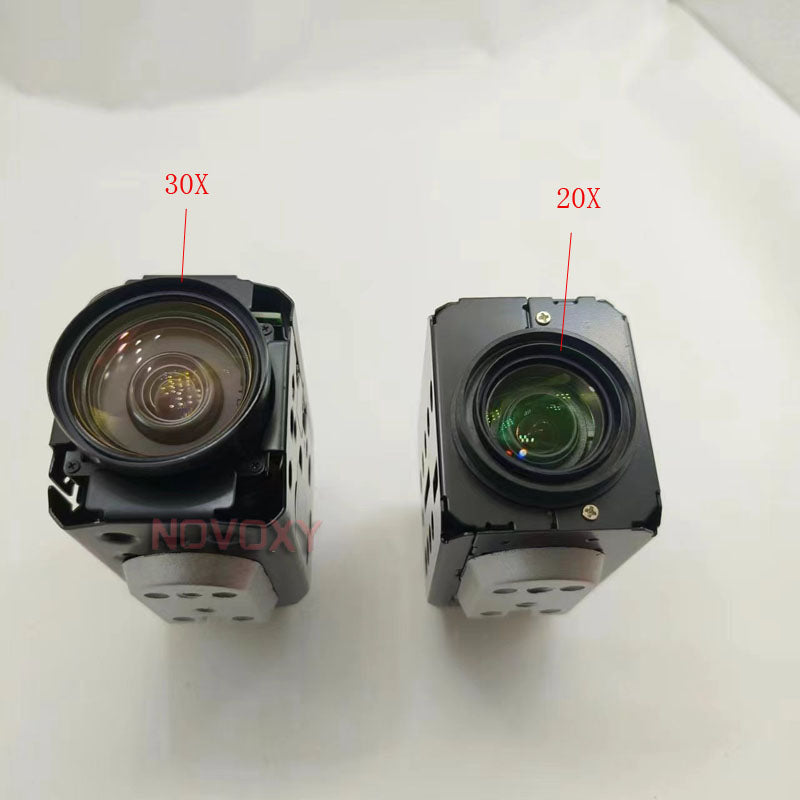
SK-ART20E18 Real 30X IMX323 2MP 1080P AHD TVI CVI CVBS 4.7~141mm 4 in 1 Zoom Camera module support UTC Coaxia lcontorl CCTV Camera
SK-ART20E18 Real 30X IMX323 2MP 1080P AHD TVI CVI CVBS 4.7~141mm 4 in 1 Zoom Camera module support UTC Coaxia lcontorl CCTV Camera
Couldn't load pickup availability
Free shipping 2MP AHD 30x Optical Auto Focus Digital CCTV Security PTZ Speed Dome Camera Zoom Module Lens |
Note:
1. The camera have updated to support UTC coaxial control , it is AHD TVI CVI CVBS 4 IN 1 . You choose the correct signal output according to your HD DVR. Otherwise no image will be displayed . The CVBS signal output can work with any DVR
2, The CVBS signal output can work with any DVR , If you do know what 's DVR in you hand, you 'd better to choose CVBS signal output.
3. You can switch different signal output and PAL/NTSC system when the image was displayed
Parameter:


How to switch the different signal:
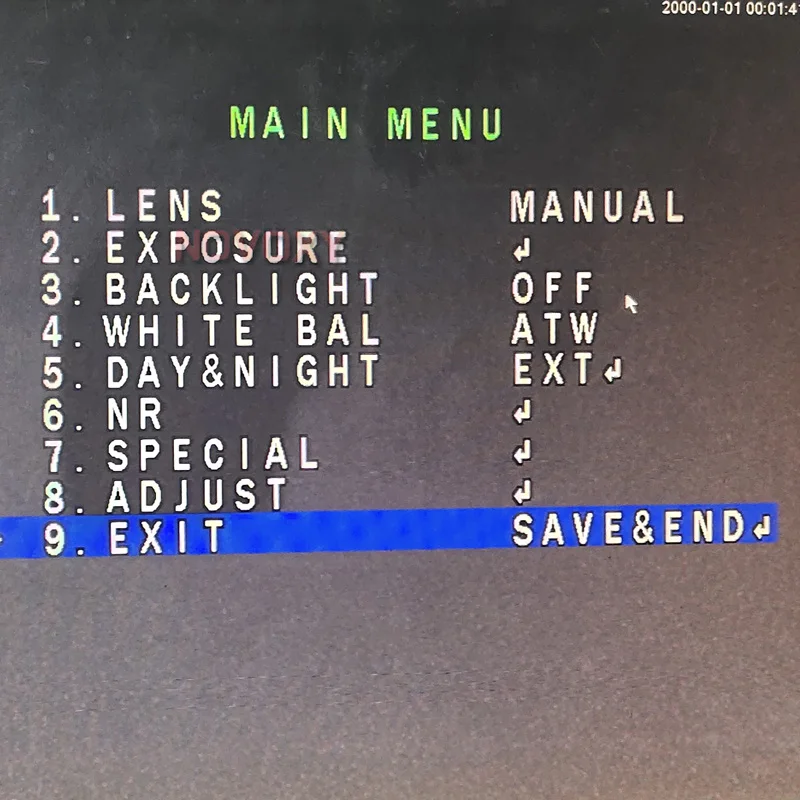
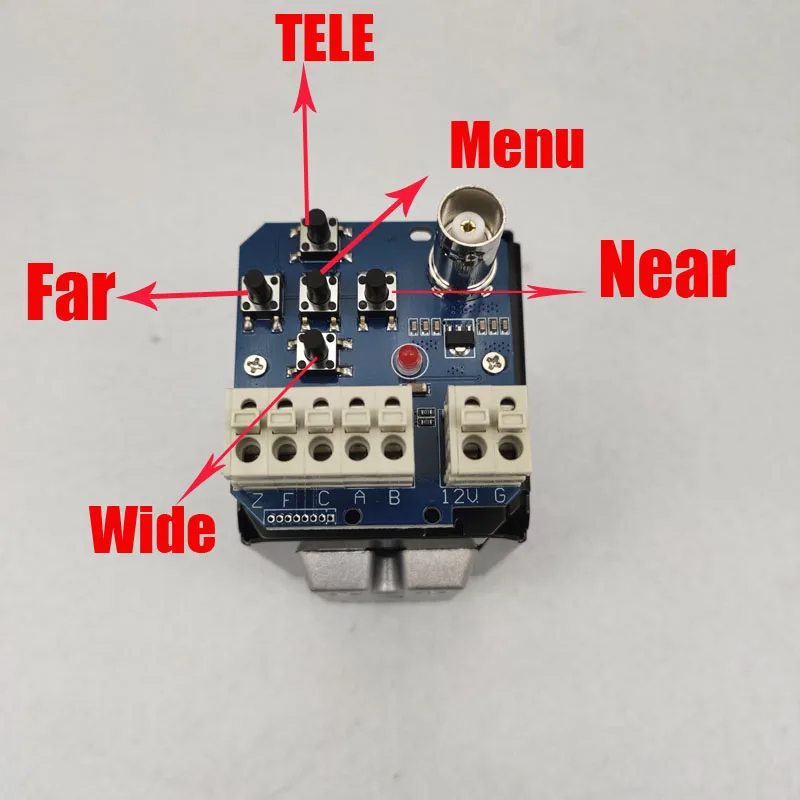
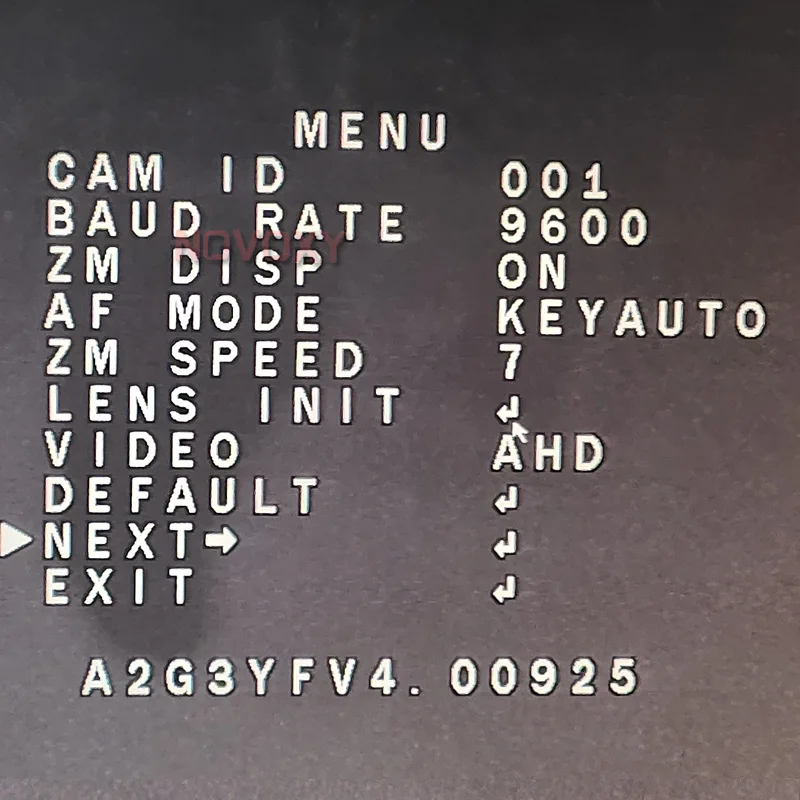
Step 1: Press "MENU" button to enter into menu and select "NEXT" as shown below,press "MENU" button enter into submenu
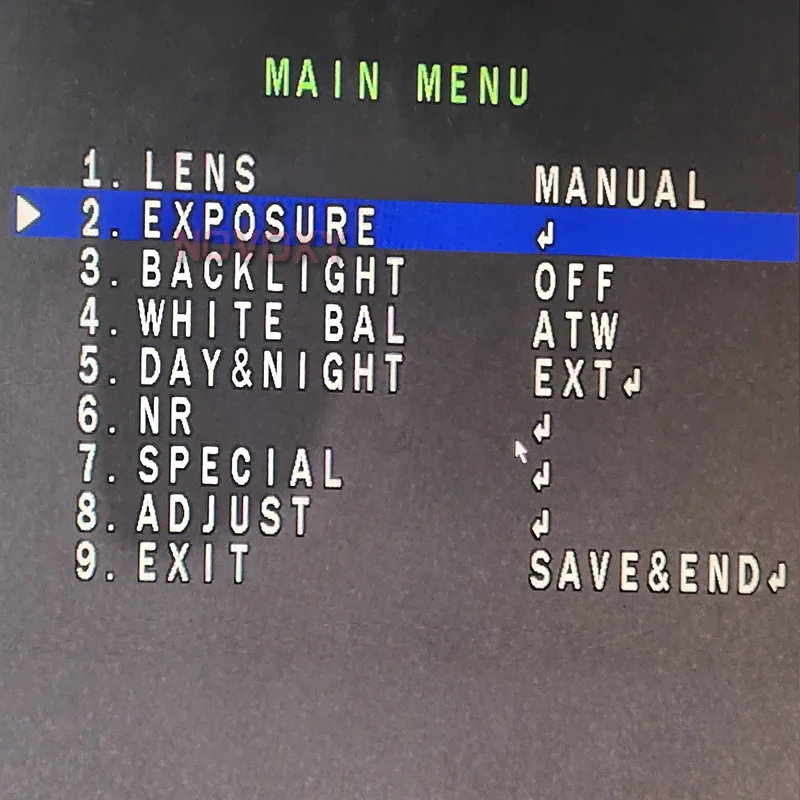
Step 2: select "EXPOSURE", Press right botton(NEAR) 3 times and press the "MENU"button to enter the HIDDEN menu
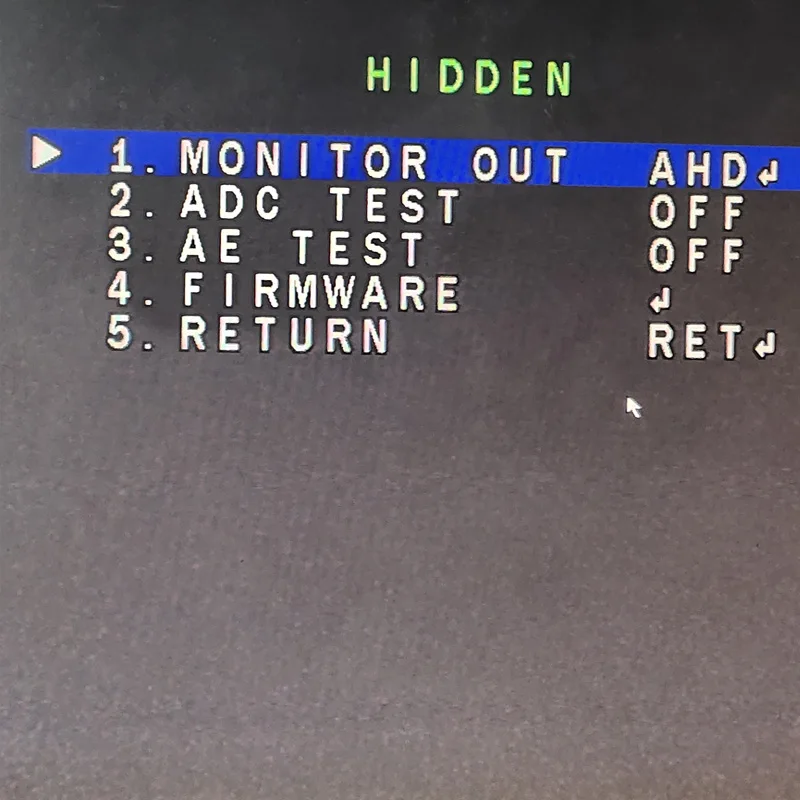
Step 3: Enter the HIDDEN menu, then you can press left or right botton to select different signal output , (CHD is CVI, THD is TVI)
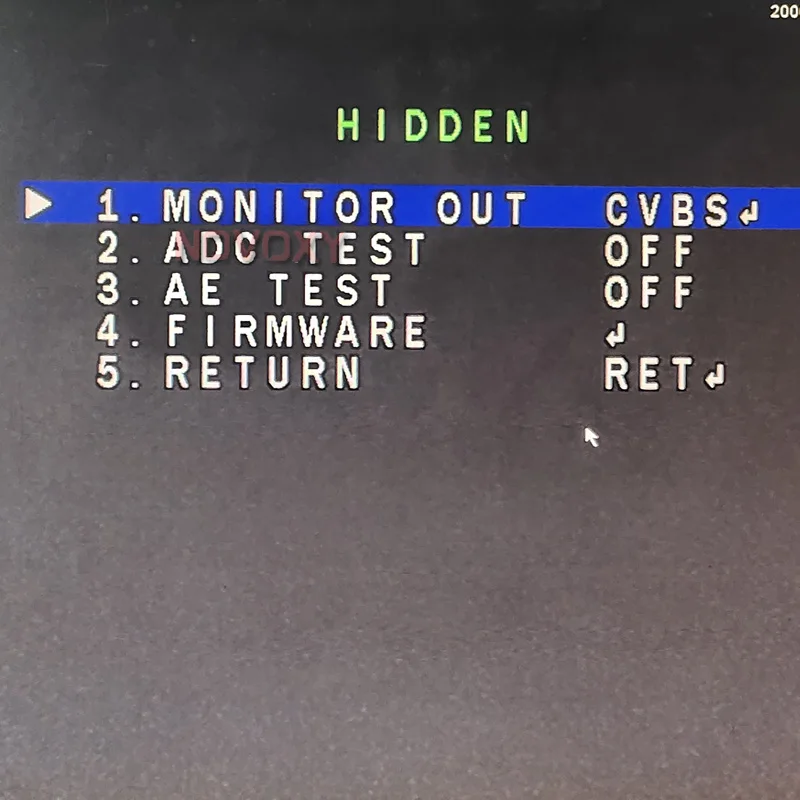
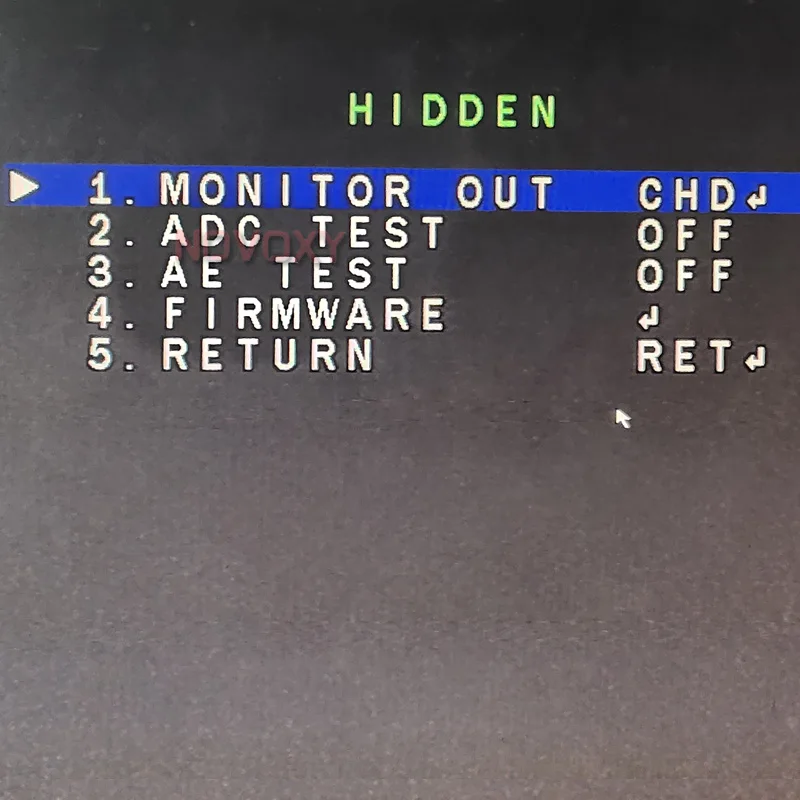
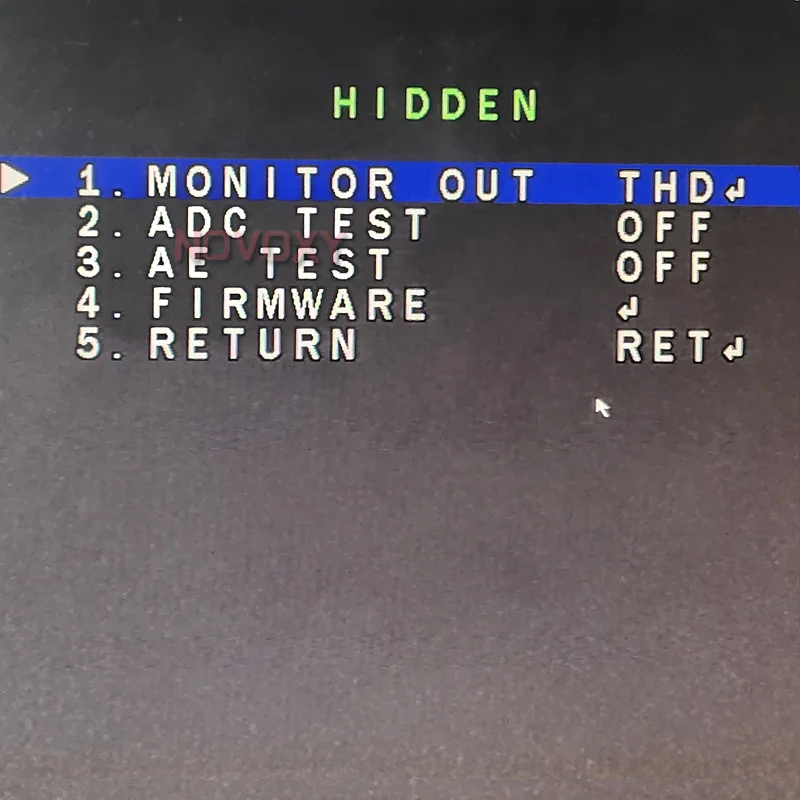
Step 4: After select the signal output, press "MENU" botton , then select the " APPLY" and press "MENU" botton to save the setting
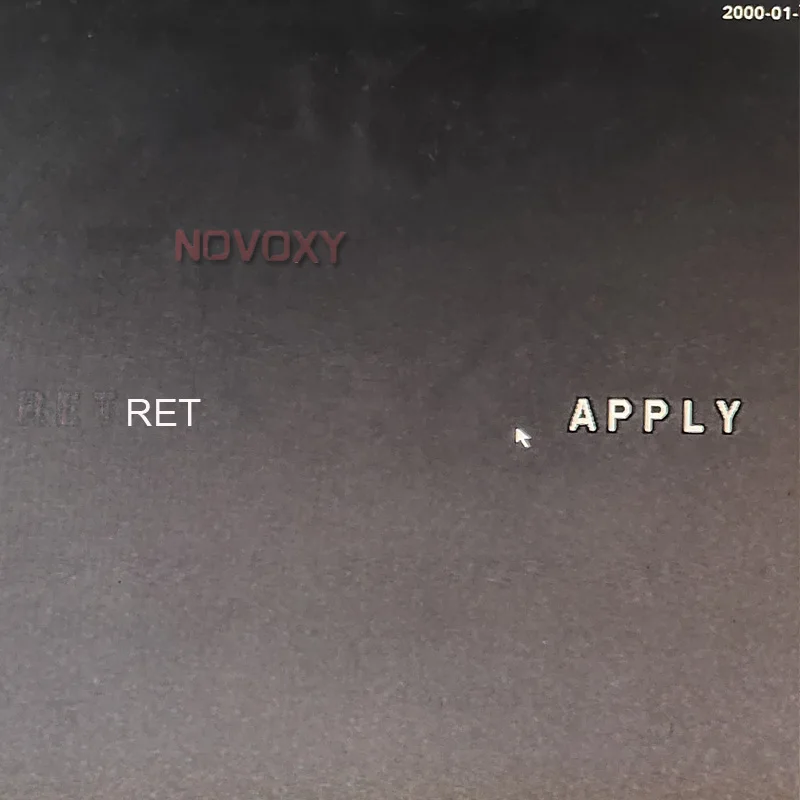
Step 5: Exit and save it, it will be success to siwtch different signal output